The Ultimate Guide to USB Mixer Audio Interface in the UK
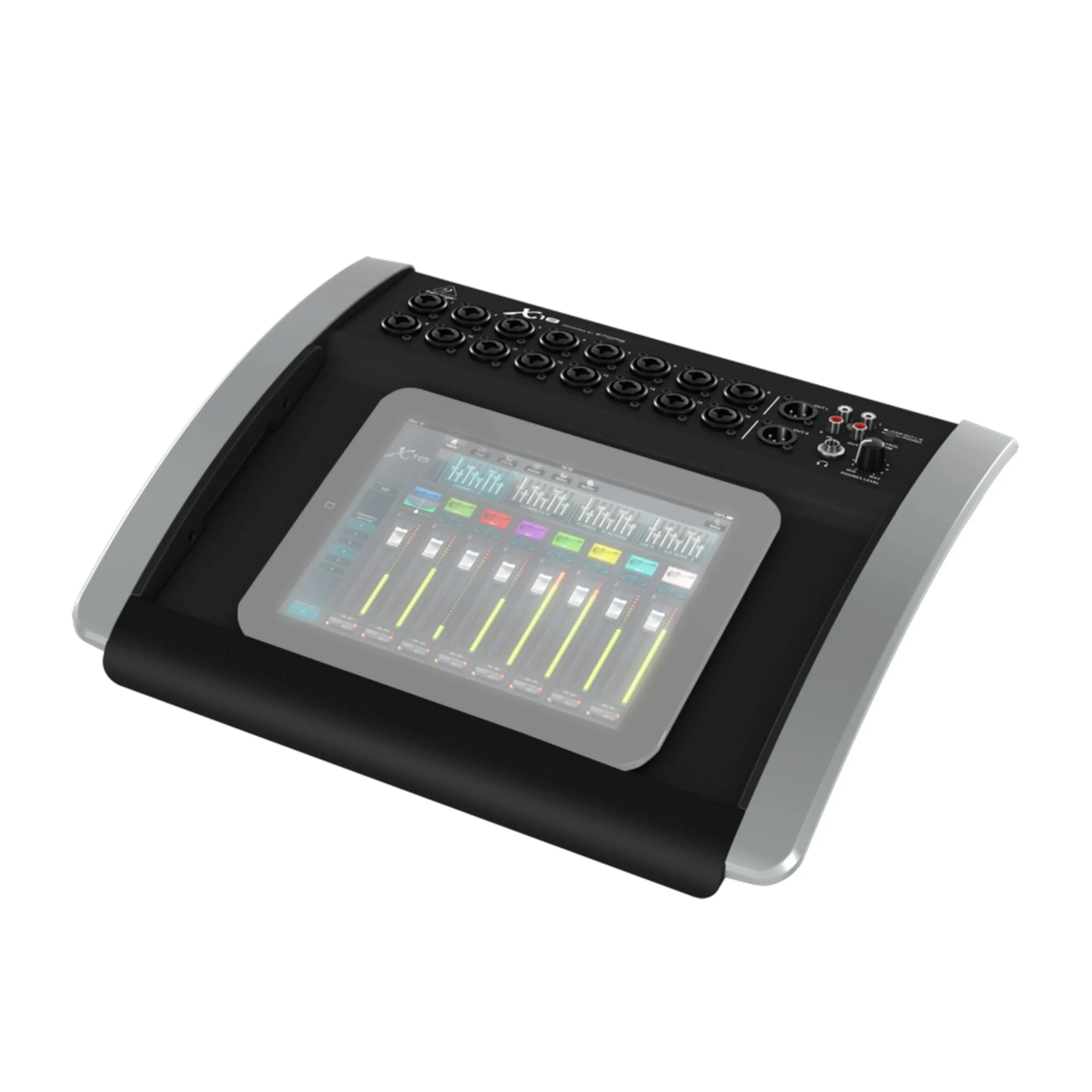
Short answer: a USB mixer audio interface is a single box that combines a mixer's preamps and controls with a multi-channel USB audio interface, so you can record several sources at once as separate tracks and mix or stream them live. It earns its place the moment you outgrow a two-input interface — and for many UK creators the Behringer X AIR X18 is the obvious candidate.
If you run a band live-stream, a multi-mic podcast or a covers channel from a home studio, you have probably hit the wall where a small interface stops coping. The frustration is familiar: recording the whole band means everyone is squeezed onto a single stereo track, so when the vocal is too quiet there is nothing to fix in post. A USB mixer audio interface solves that by giving every source its own channel and its own USB track.
What are the key things to know about a USB mixer audio interface?
- It is a hybrid device: an analogue front end (preamps and inputs) plus a multi-channel USB interface, all in one unit.
- The feature that matters most is multitrack USB — sending each input to your DAW as a separate track, not just a stereo mix-down.
- Doing EQ, compression and effects on the desk means your computer only has to handle the recording or the stream.
- Preamp quality decides how clean quiet passages sound; noisy budget preamps add hiss that no plugin fully removes.
What is a USB mixer audio interface?
A traditional audio interface takes one or two sources into your computer. A mixer, by contrast, blends many sources and sends them to speakers or monitors. A USB mixer audio interface does both: it mixes your inputs and, over a single USB cable, presents them to your computer as a multi-channel audio device. You get the hands-on (or app-based) control of a mixer and the recording capability of an interface without buying two separate boxes.
Stereo USB versus multitrack USB
This is the distinction that trips up buyers. Many inexpensive “USB mixers” only send a single stereo mix to the computer — useful for streaming, useless for proper multitrack recording. A true multitrack USB mixer sends every channel independently. The Behringer X AIR X18, for example, is an 18-in/18-out USB interface, so a five-piece band arrives in your DAW as separate tracks you can balance and edit after the session.
Do you need a USB mixer audio interface?
Be honest about your workflow. If you only ever record one voice or instrument at a time, a compact interface is simpler and cheaper — our USB Type-C audio interface guide covers that route. But if any of the following apply, a USB mixer audio interface starts to pay for itself:
- You record several sources at once — a band, a drum kit, or a panel of podcast mics.
- You live-stream and want the mix, effects and compression handled on the desk so the computer just handles the stream, rather than wrestling with routing in OBS.
- You need real monitor mixes for performers, not just a single headphone output.
Recording and streaming at the same time
The best reason to choose a mixer interface is doing two jobs at once. You can capture a full multitrack recording for later editing while sending a polished stereo feed to your streaming software. Because the desk does the processing, a mid-range laptop is enough — a common relief for creators whose kit has to pay for itself from channel income.
What features should you look for in a USB mixer audio interface?
- Multitrack USB — confirm the unit sends each input as its own track, not just a stereo pair. Look for a stated figure such as 18-in/18-out.
- Preamp quality — clean, quiet preamps matter most on spoken word and acoustic sources; Midas-designed preamps are widely praised in UK reviews.
- Onboard processing — EQ, compression and effects that run on the desk keep your computer free for recording or streaming.
- App or fader control — tablet-controlled mixers keep the desk compact; decide whether you prefer physical faders.
- Driver stability — check the manufacturer's current Windows and macOS drivers before you buy.
For a worked example of the two-channel starting point many creators upgrade from, see our Focusrite Scarlett 2i2 2nd Gen guide.
Where the Behringer X AIR X18 fits
The Behmix X AIR X18 is built for exactly this job: an 18-channel digital mixer with an 18-in/18-out bidirectional USB audio interface, so every source records to its own DAW track while you monitor through the desk. It pairs 16 Midas-designed preamps with 40-bit floating-point processing and built-in tri-mode Wi-Fi for iPad or Android control. It is £771.45 inc. VAT (£642.88 ex. VAT), rated 4.9 out of 5 from 474 reviews, and ships with free UK delivery, a 12-month warranty and 30-day returns.
Record your whole band as separate tracks
View the Behmix X AIR X18 — £771.45Frequently asked questions
What is a USB mixer audio interface?
It is a single device that combines a mixer's preamps and controls with a multi-channel USB audio interface. You mix and add effects on the desk, then send every channel to your computer over one USB cable for multitrack recording.
Can you record a full band with a USB mixer audio interface?
Yes, if it offers multitrack USB. A mixer with an 18-in/18-out USB interface, such as the Behringer X AIR X18, records each input as its own DAW track rather than a single stereo mix, so you can edit every instrument after the session.
Can you use a USB mixer as an audio interface for live streaming?
Yes. You mix, compress and add effects on the desk and send a finished feed to your streaming software, so the computer only handles the stream. Many creators route the desk mix straight into OBS over USB.
Do you need a powerful computer for a USB mixer audio interface?
No. The mixer handles its own processing, so the computer mainly runs your DAW or streaming app. A mid-range laptop or Mac is enough for most home studio and live-stream work.
Ready to upgrade your sound with Behmix?
Explore the X18 — £771.45